Chauffeur Payments & Invoicing
Keep Invoices, Payments, Payment Links and Driver Settlements Connected to the Booking
Manage customer billing, payment collection, refunds, extra charges, driver earnings and settlements without separating finance from the chauffeur operation.
Invoices
Payments
Payment links
Driver settlements
Finance Dashboard
Invoices
Payments
Payment Links
Refunds
Settlements
Booking to Finance
Let the Financial Record Follow the Same Booking from Charge to Settlement
Customer charges, payment status, invoices and driver earnings stay easier to understand when they remain connected to the booking.
01Create the Charge
Keep fare, extras, waiting, tips and additional charges connected to the booking.
02Collect Payment
Record payments or send a secure payment link for an outstanding amount.
03Issue Invoice
Generate customer billing with booking and payment context attached.
04Handle Refunds
Keep refund activity visible in the same financial history.
05Settle the Driver
Review chauffeur earnings, tips, adjustments and payable settlement.
Finance Dashboard
See What Has Been Invoiced, Collected, Refunded and Still Needs Attention
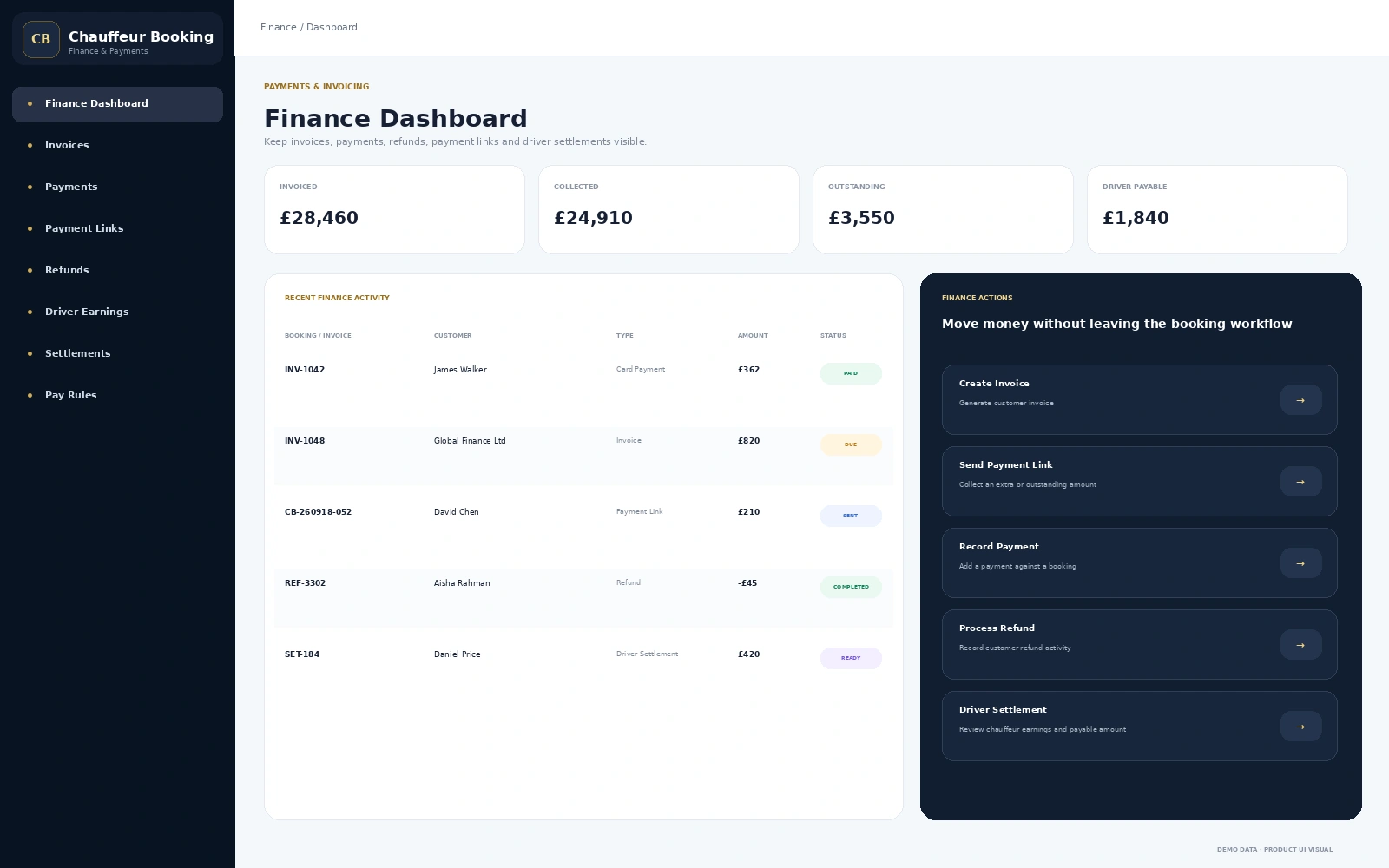
A central finance view gives operations and accounts quick context on customer money and driver payable activity.
- Invoiced and collected totals
- Outstanding payment visibility
- Refund activity
- Payment-link status
- Driver payable totals
Payment Links
Collect Extras and Outstanding Amounts Without Rebuilding the Booking
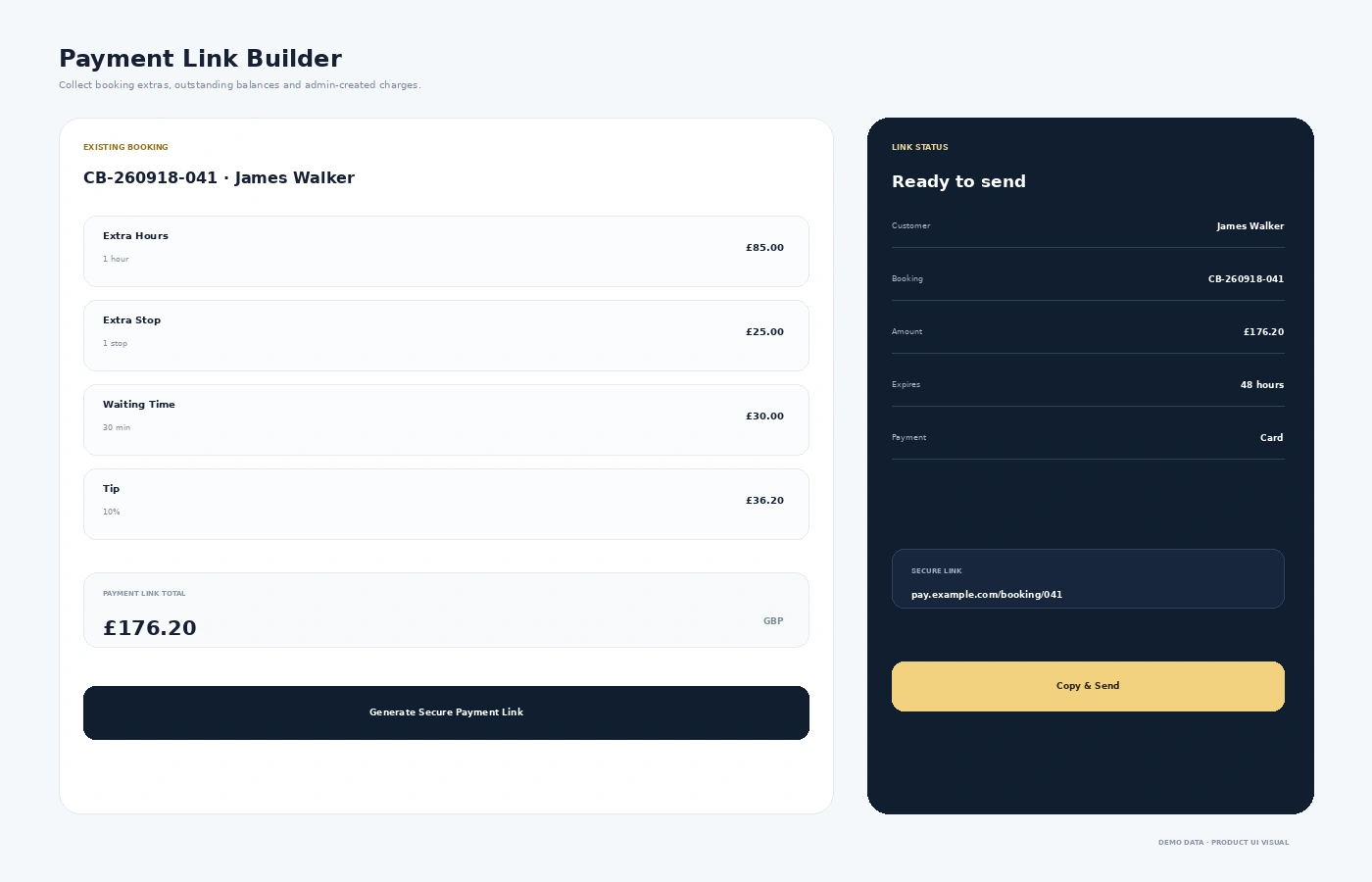
Payment links can be created against an existing booking for additional charges or amounts that still need to be collected.
- Extra hours
- Extra stops
- Waiting time
- Tips
- Add-ons and journey changes
- Secure shareable payment link
Invoices & Settlements
Keep Customer Billing and Driver Pay in the Same Finance Workflow
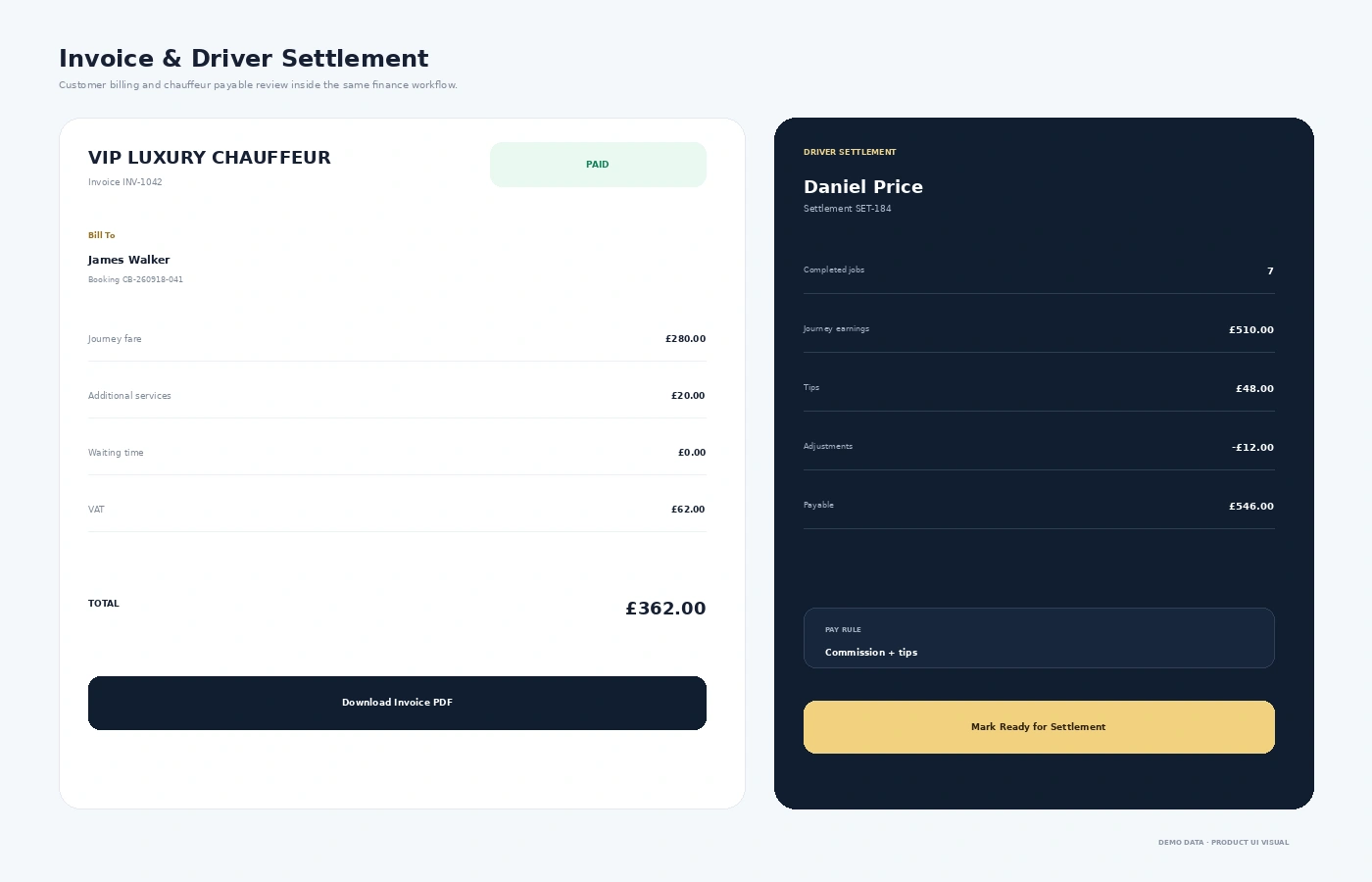
The customer side needs invoices and payment records. The chauffeur side needs earnings, tips, adjustments and settlement readiness.
- Booking-linked invoices
- Paid and outstanding balance
- Refund history
- Driver earnings
- Chauffeur tips
- Settlements and pay rules
Finance Controls
Give Accounts the Detail Without Disconnecting Them from Operations
ABooking-Level Finance
Keep customer charges and payment position attached to the correct booking.
BPayment Collection
Support payment recording and shareable payment-link workflows.
CCustomer Billing
Generate invoices and keep outstanding balance visible.
DChauffeur Pay
Review earnings, tips, adjustments and settlement totals.
FAQs
Chauffeur Payments & Invoicing FAQs
Can invoices stay linked with the booking?
Yes. Keeping invoice and payment information connected to the booking makes it easier to understand the customer’s financial position.
Can the office send a payment link for extra charges?
Payment-link workflows can be used for extras such as waiting, additional stops, extra hours, tips or other booking-related charges.
Does the finance module support refunds?
Refund activity can remain visible as part of the wider booking and finance history.
Can driver earnings and settlements be managed?
Driver finance can include earnings, tips, adjustments, pay rules and settlement review.
See the Finance Workflow
Want to See How Bookings Move from Charge to Payment and Settlement?
Walk through invoices, payment collection, payment links, refunds and chauffeur settlements inside the connected platform.