Live Driver Tracking
See Your Chauffeurs, Active Trips and GPS Status in Real Time
Give operations a live view of active chauffeurs, tracking sessions, GPS freshness and passenger-facing journey links. The tracking workflow helps the office understand what is happening on the road without chasing every driver for an update.
Live driver mapGPS freshnessPassenger tracking linksTracking history
Live Operations
Active SessionsLive Driver MapGPS FreshnessPassenger LinksTracking History
Operational VisibilityKnow Which Journeys Are Live, Which Signals Are Fresh and Which Trips Need Attention
Tracking is most useful when it gives the operations team context, not just dots on a map. The platform connects location data with the driver, booking and current journey.
01Start Tracking
An active journey can create a tracking session connected with the chauffeur and booking.
02Watch GPS Freshness
See whether the latest chauffeur location is fresh, delayed or stale.
03Follow the Journey
Keep active drivers and trip progress visible from the live operations workspace.
04Share Passenger Access
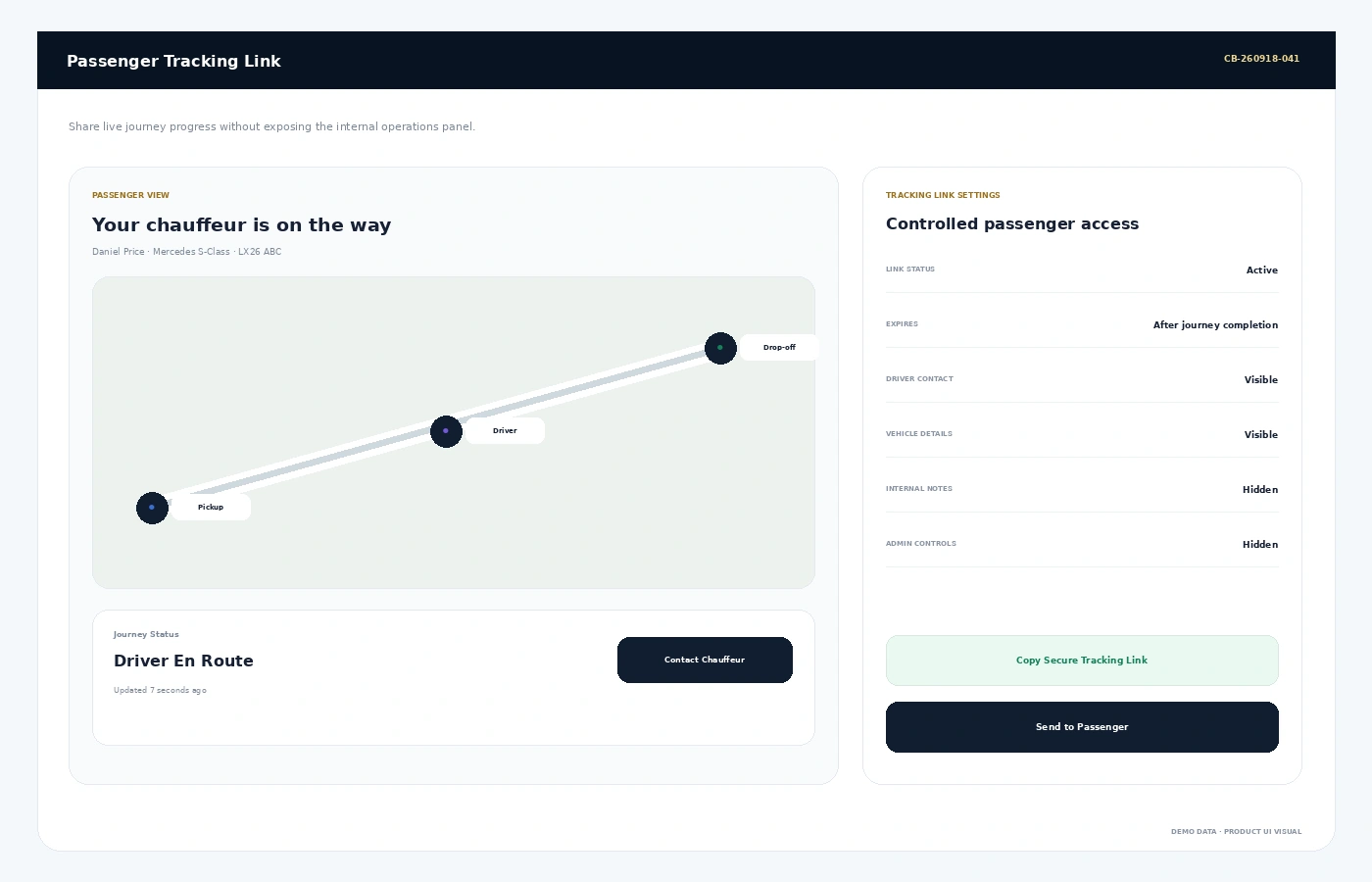
Create controlled journey tracking links without exposing the internal admin panel.
05Review History
Keep completed tracking sessions available for operational review.
Live Operations MapOne Command Centre for Active Chauffeurs
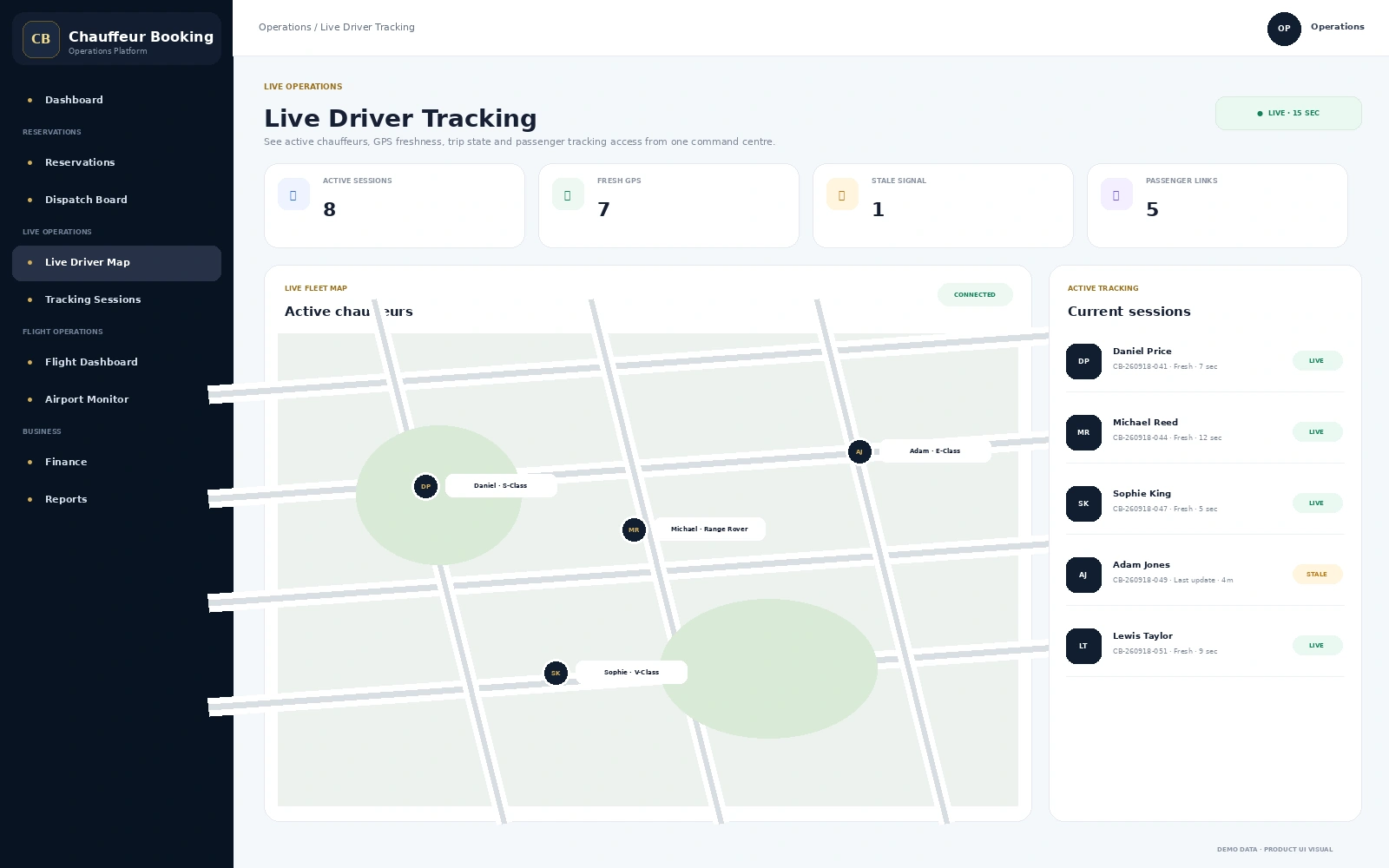
The live map combines the driver, booking reference, tracking state and GPS freshness so operations can see more than a location pin.
- Active tracking session count
- Fresh and stale GPS visibility
- Driver, vehicle and booking context
- Live trip status alongside location
- Quick access to the active journey
Passenger TrackingGive the Passenger Visibility Without Giving Away Back-Office Access
A secure passenger link can show the customer useful journey progress while internal notes, admin controls and private operational information stay hidden.
- Controlled passenger-facing tracking page
- Live journey state and chauffeur progress
- Vehicle and contact information where enabled
- Automatic expiry after the journey
- Internal admin details remain private
Tracking HistoryLocation Data Is More Useful When Operations Can Review It Later
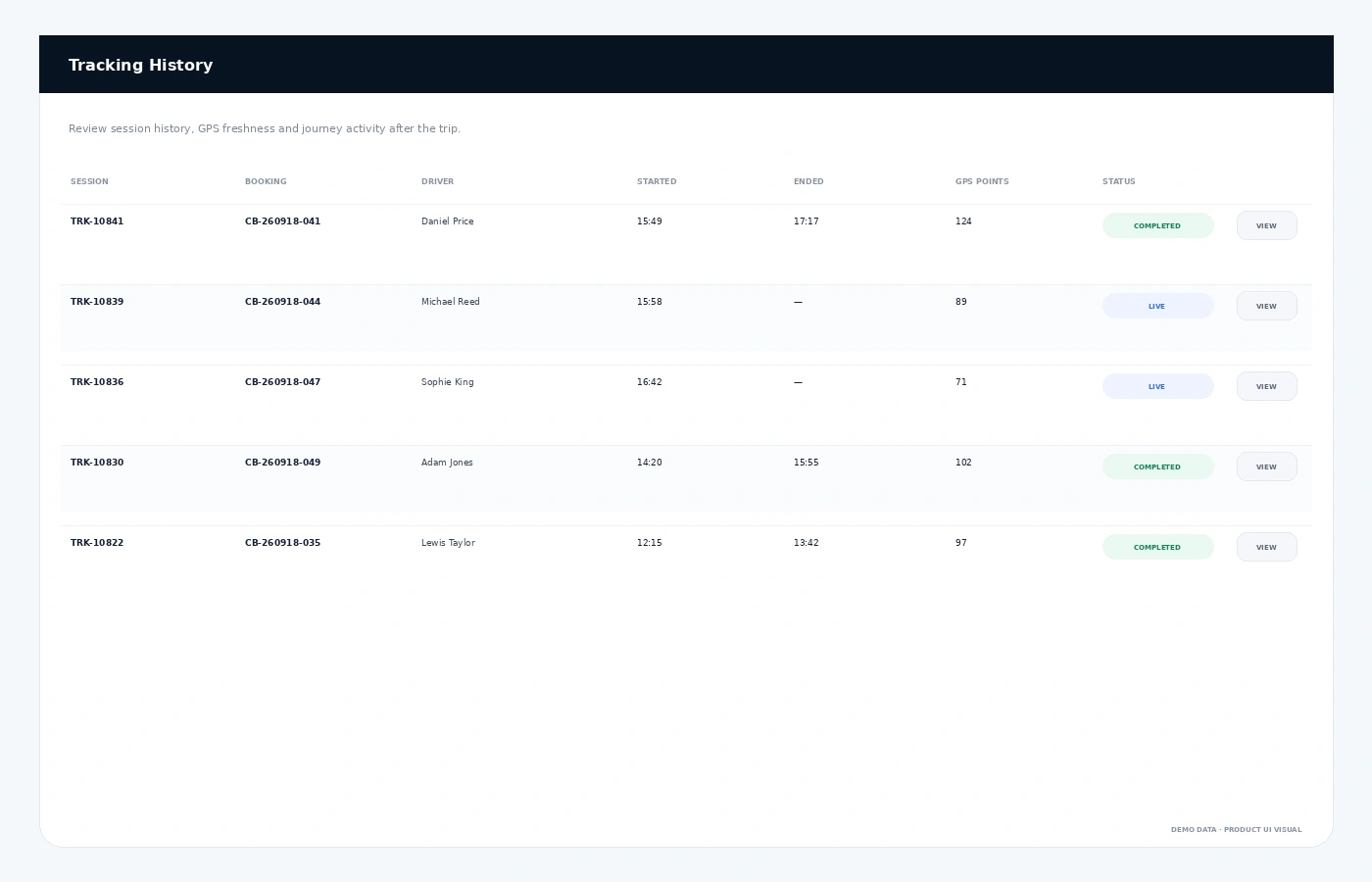
Completed sessions remain part of the operational record so teams can review when tracking started, when it ended and how the live journey behaved.
- Session and booking reference
- Driver identity
- Started and ended times
- GPS point count
- Live or completed tracking status
Connected Platform
Tracking Should Follow the Journey, Not Sit Beside It
FAQs
Live Driver Tracking FAQs
What is live driver tracking for chauffeur companies?
It gives operations a live view of chauffeur location and active journey status, usually linked with the booking and driver record.
Can passengers receive a tracking link?
Yes. Passenger-facing tracking can be shared through controlled links that show relevant journey progress without exposing the internal admin system.
Can the office see stale GPS signals?
Yes. GPS freshness helps operations distinguish a current location from a signal that has not updated recently.
Is tracking history kept after the trip?
Tracking sessions can remain available for operational review after the journey is completed.
See Live OperationsWant to See Your Chauffeurs and Active Trips in One Working View?
Walk through live driver tracking, passenger links and tracking history as part of the full chauffeur workflow.