The flight time can change
Keep scheduled and estimated arrival information linked to the booking so operations can see the effect on pickup timing.

Airport work changes after the booking is confirmed. Flights arrive early, run late and move through different terminal conditions. JourneyDock keeps the flight, reservation, chauffeur assignment, waiting and passenger journey connected so operations can react with context.
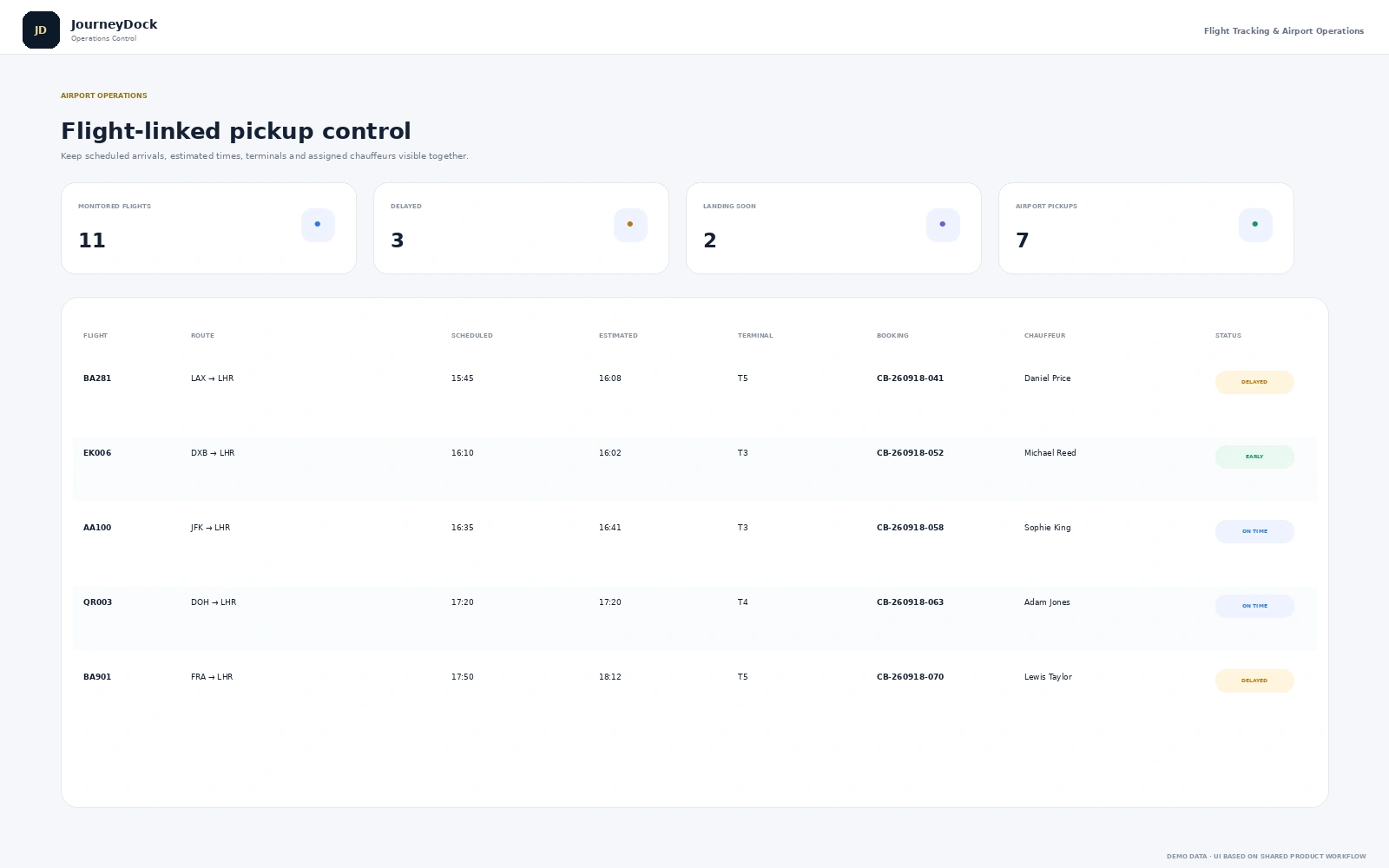
Airport transfer companies need more than a standard booking list. The office has to understand the flight, the passenger, the terminal, the chauffeur and the pickup plan at the same time. By linking flight monitoring with dispatch and the driver workflow, the team gets a clearer picture of what is actually happening at arrivals.
Keep scheduled and estimated arrival information linked to the booking so operations can see the effect on pickup timing.
Flight delay, included waiting and live waiting should not be hidden in separate notes.
Reservation, flight monitoring, dispatch and the chauffeur app all need the same passenger and journey context.
The value is not a long feature list. It is what happens when reservations, operations, mobile users and finance are working from connected information instead of recreating the same journey in separate systems.
These are the platform areas that connect most directly with the day-to-day workflow described on this page.
Capture flight number, pickup details, passenger information, waiting and return travel.
Explore this capability →Monitor scheduled and estimated arrival information alongside the linked chauffeur booking.
Explore this capability →Assign the driver and vehicle with flight and pickup context still attached.
Explore this capability →Give chauffeurs access to current job, passenger and live flight information.
Explore this capability →Give travellers controlled visibility of the chauffeur and journey progress when needed.
Explore this capability →Keep payment links, waiting charges and invoices attached to the booking.
Explore this capability →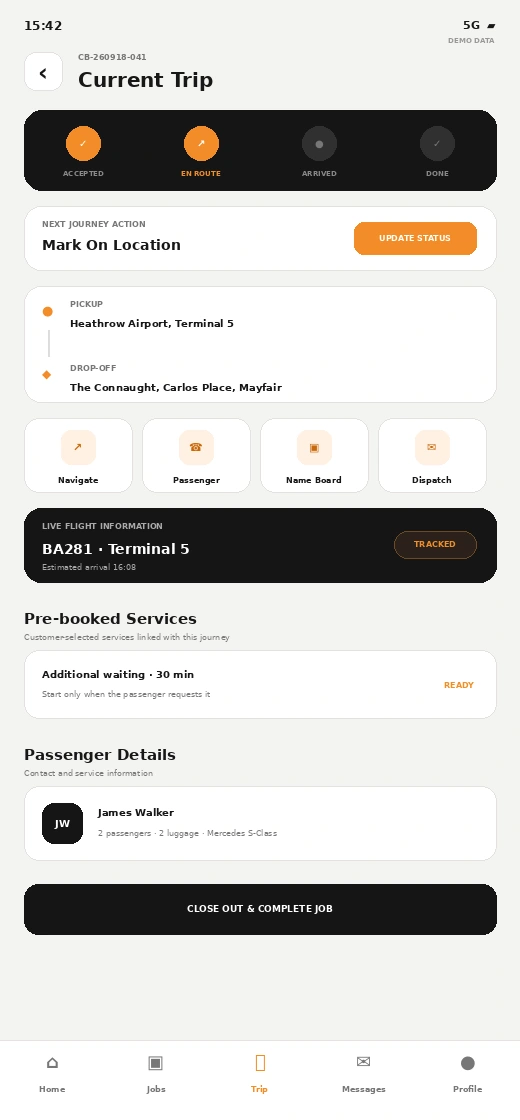
The platform extends beyond the admin dashboard. Driver, passenger, booking and portal experiences can use the same operational context so each person sees the part of the journey that is relevant to them.
The reservation stores passenger, terminal, flight and pickup information together.
Operations can compare scheduled and estimated arrival information.
The assigned chauffeur and vehicle remain linked while timing changes are reviewed.
Driver status, tracking and waiting become part of the live operational record.
Use these product pages when you want to go deeper into reservation, dispatch and the wider chauffeur management platform.
Book a personalised walkthrough and focus the demo on the booking, dispatch, mobile, tracking, fleet and finance workflows that matter to your business.