Flight Tracking & Airport OperationsKeep Airport Chauffeur Jobs Aligned with the Flight, Not Just the Original Pickup Time
Monitor flight status, estimated arrivals, airport pickups and operational alerts from one working view. Link flight information with the chauffeur booking so the office can react when the aircraft arrives early, late or changes terminal timing.
Monitored flightsDelay alertsAirport pickup monitorLinked bookings
Flight Operations
Flight DashboardFlight StatusDelay AlertsAirport PickupsLinked Bookings
Airport Work Needs Live InformationGive Operations a Dedicated View of Flights Connected to Chauffeur Bookings
Airport bookings can change after they are confirmed. Flight monitoring keeps the latest arrival information close to the booking and the operations team.
01Monitor Flight
Connect the flight number with the chauffeur booking.
02Watch Changes
Keep scheduled and estimated arrival information visible.
03Flag Delays
Highlight early, delayed or changed flight conditions.
04Coordinate Pickup
Use the airport monitor to see chauffeur readiness.
05Keep Driver Informed
Flight information stays connected with the operational booking.
Flight DashboardSee Today’s Airport Work Before It Becomes a Dispatch Problem
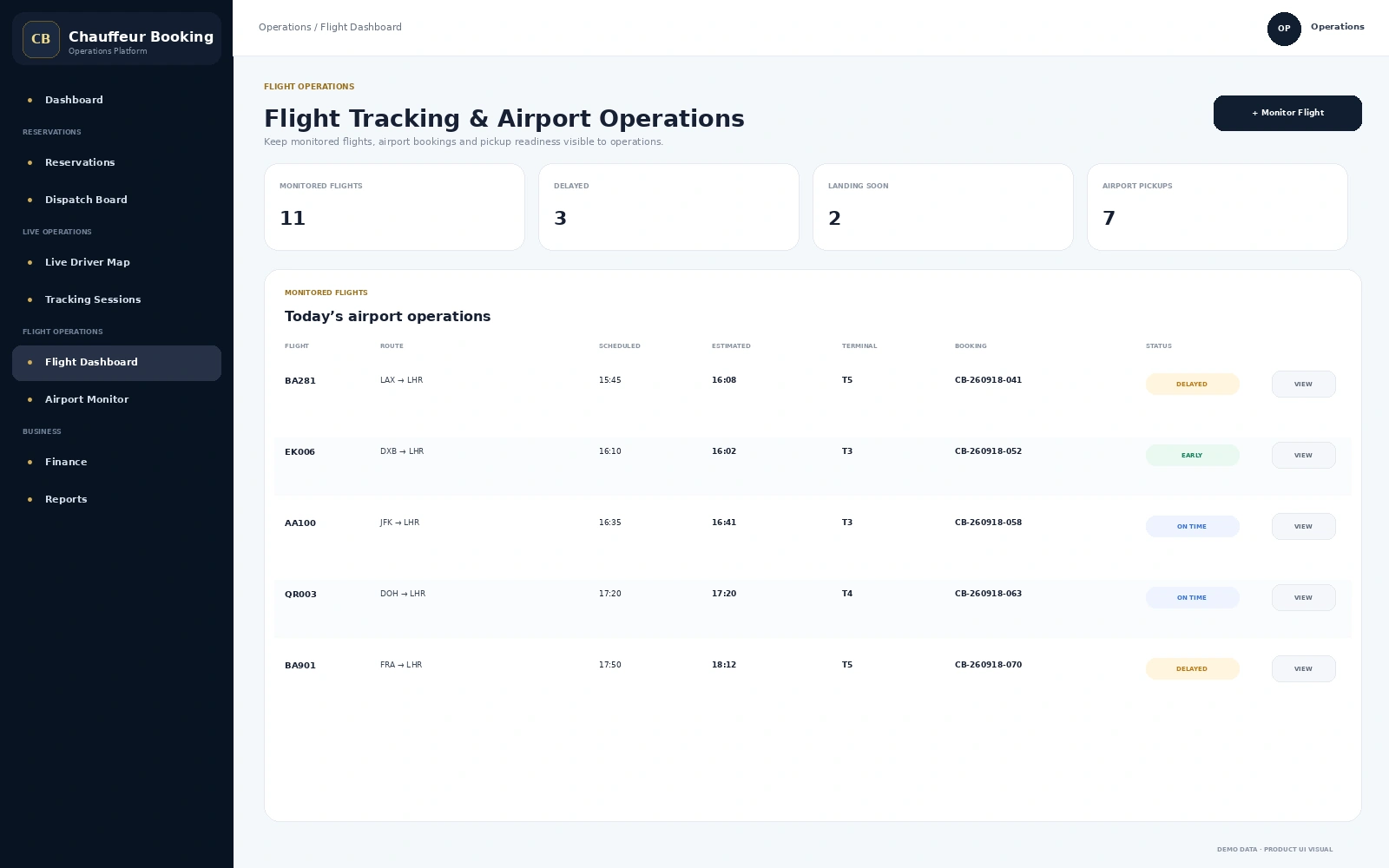
The dashboard shows monitored flights, scheduled and estimated arrival times, terminal information, linked bookings and current flight state in one operational table.
- Monitored flight count
- Delayed and landing-soon visibility
- Scheduled vs estimated arrival
- Terminal information
- Booking reference attached to the flight
Flight AlertsWhen the Arrival Changes, Operations Should See the Impact
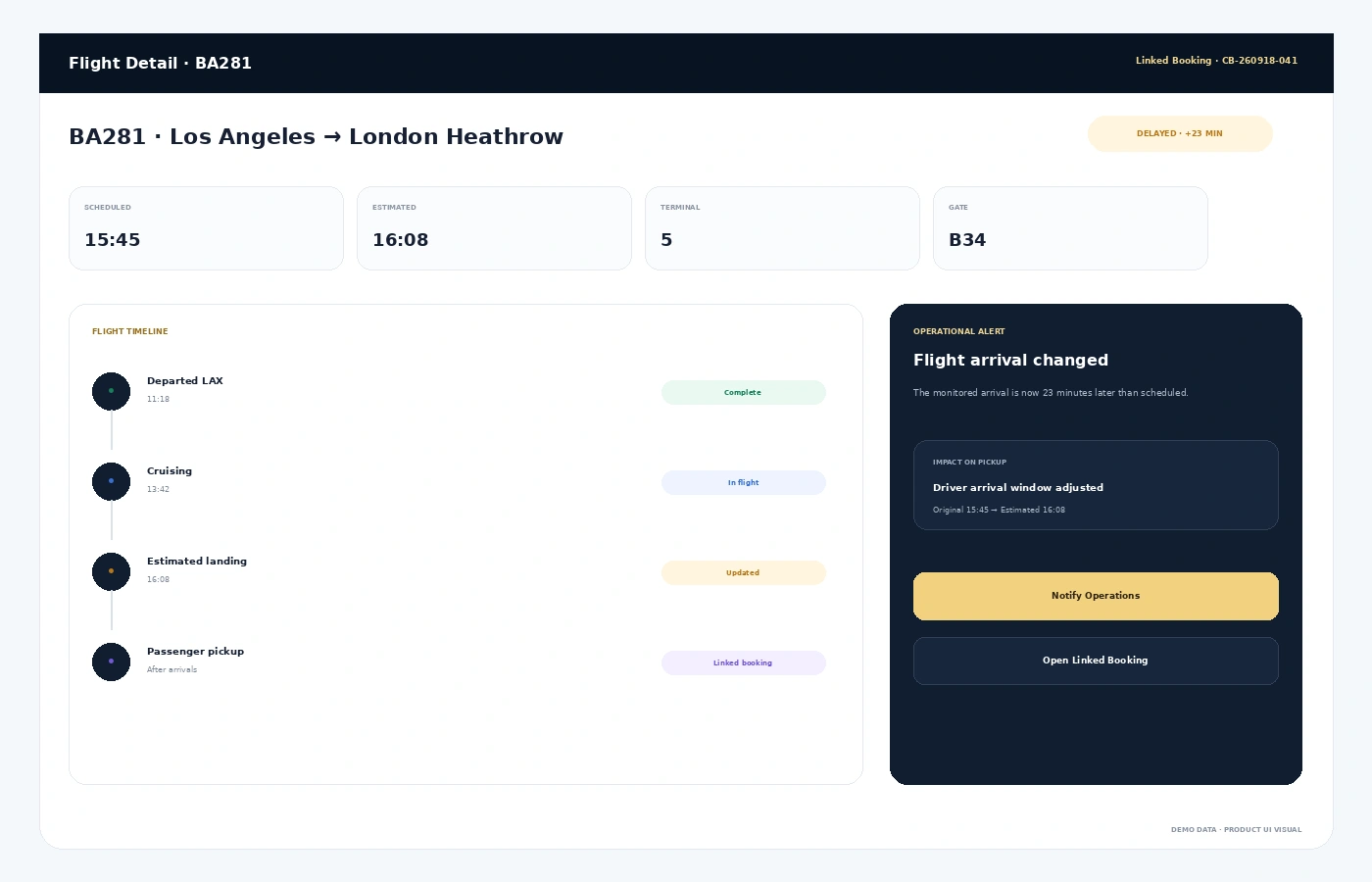
A delayed or early flight can affect chauffeur arrival timing, waiting and airport coordination. The flight detail view keeps the latest timing and linked booking visible together.
- Scheduled and estimated arrival comparison
- Delay or early-arrival state
- Terminal and gate context
- Linked chauffeur booking
- Operational alert and pickup impact
Airport Pickup MonitorOrganise Airport Jobs Around What Is Actually Happening at Arrivals
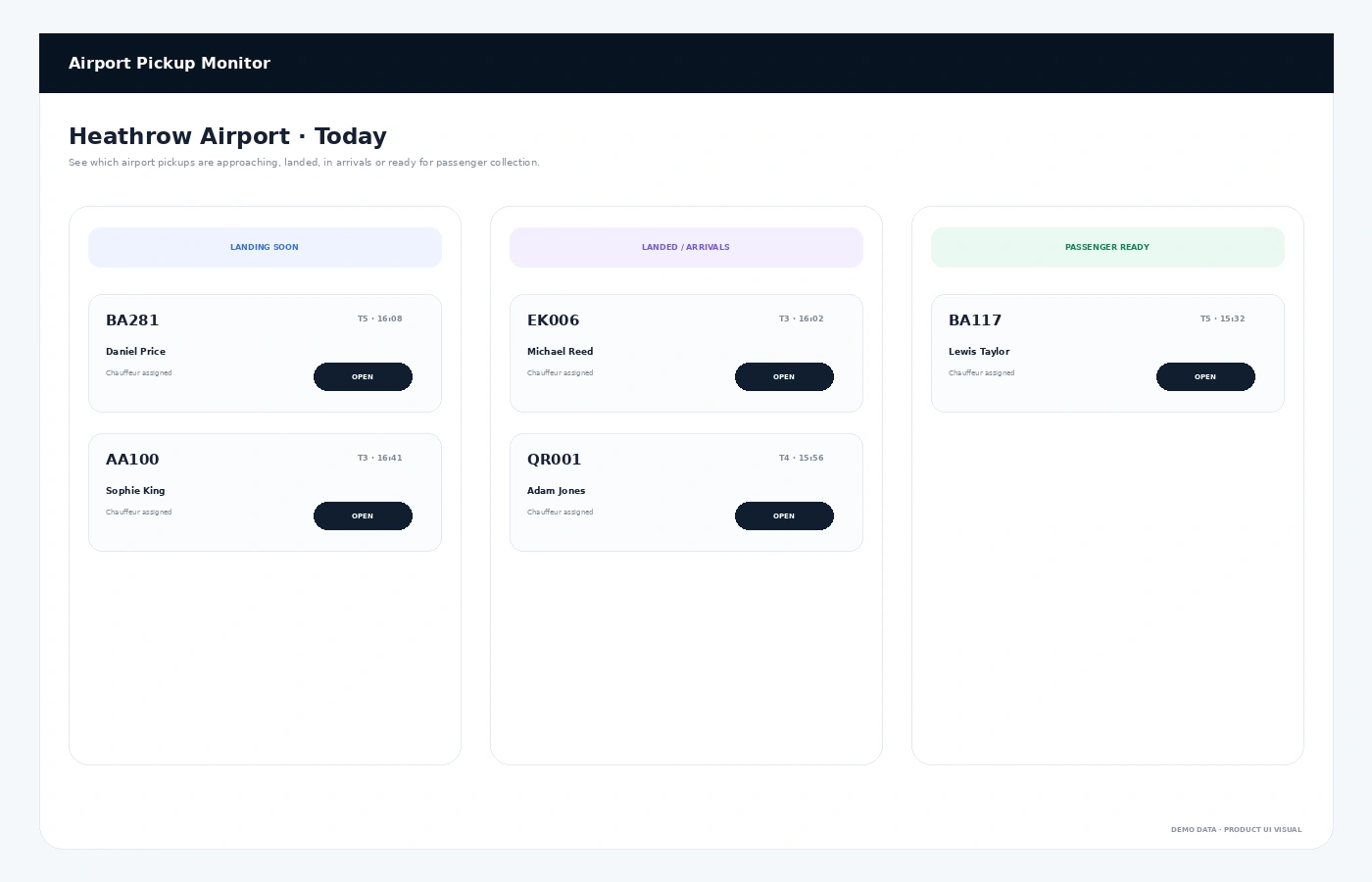
The airport monitor groups flights by practical operational state—landing soon, landed or passenger ready—so the office can focus on the next pickup action.
- Landing-soon jobs
- Landed / arrivals state
- Passenger-ready visibility
- Assigned chauffeur shown with the flight
- Quick access to the linked booking
Why It Matters
Airport Chauffeur Work Is Easier When the Flight and Booking Stay Together
ALess Manual Checking
Reduce the need to repeatedly search flight information outside the booking system.
BBetter Timing Decisions
Give operations more context when the arrival moves earlier or later.
CClearer Airport Workload
See which flights and pickups need attention next.
DConnected Driver Workflow
Keep flight information attached to the journey that the chauffeur will operate.
Connected Platform
Flight Data Should Support the Booking, Dispatch and Driver
FAQs
Flight Tracking & Airport Operations FAQs
Can flight information be linked to an airport booking?
Yes. Flight numbers can be kept with airport reservations so operations can monitor the arrival in the same chauffeur workflow.
Can the system show a flight delay?
Yes. The flight view can compare scheduled and estimated arrival information and highlight a delay or early arrival.
What is an airport pickup monitor?
It is an operations view that groups airport jobs by practical state such as landing soon, landed or passenger ready.
Can chauffeurs see flight information?
Flight information connected with the booking can be made available as part of the driver’s operational trip details.
See Airport OperationsWant to See How Flight Changes Would Flow into Your Chauffeur Operation?
Walk through flight monitoring, delay alerts, airport pickup readiness and linked bookings in one connected workflow.